The Last Few Releases

The last mentioned Kraken CI release on the blog was 0.854. Since then there was several releases: 0.868, 0.909 and the last one: 0.933. They introduce various new features and lots of fixes.
The changes include:
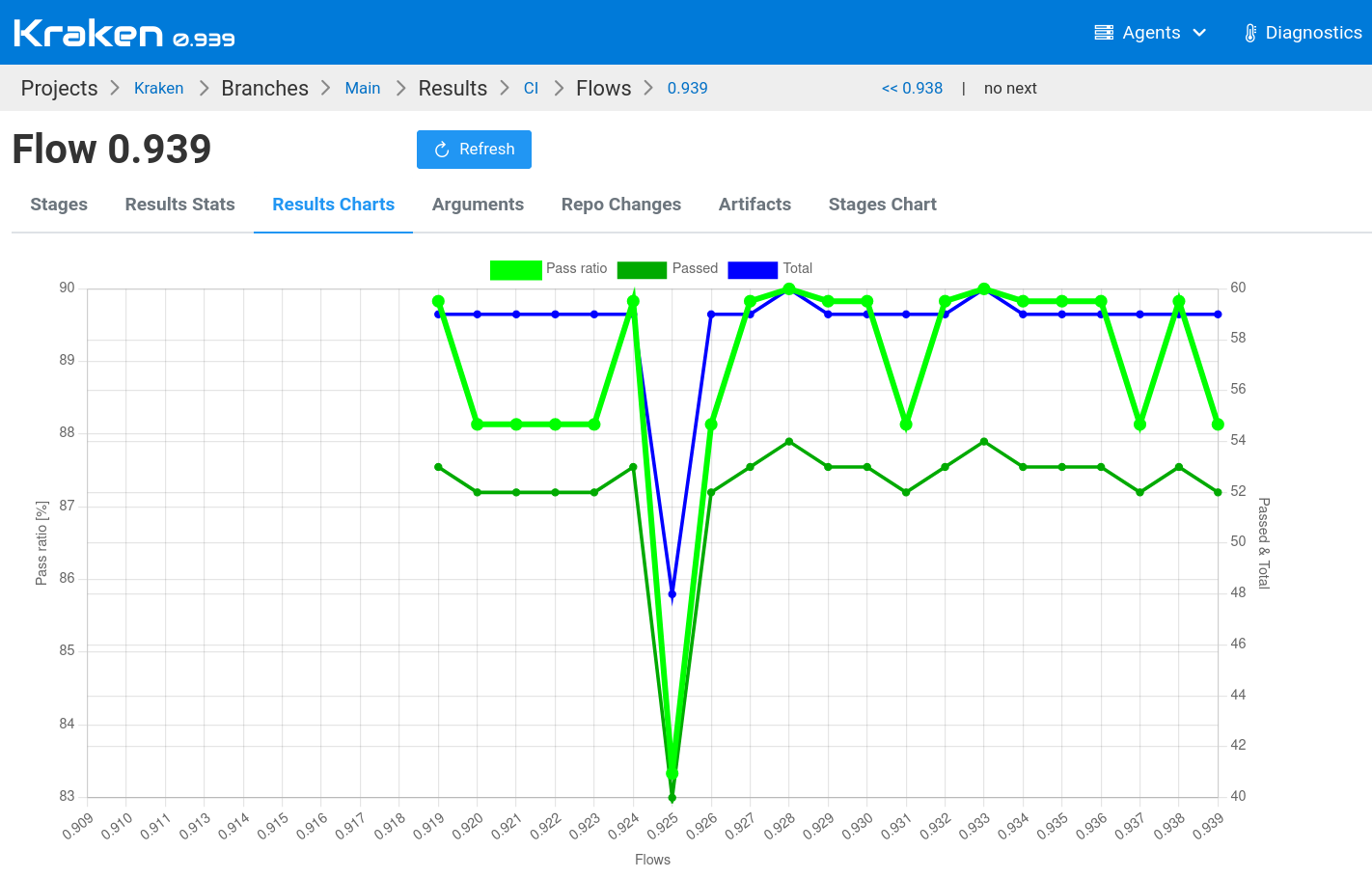
- added a chart with results history on a flow page
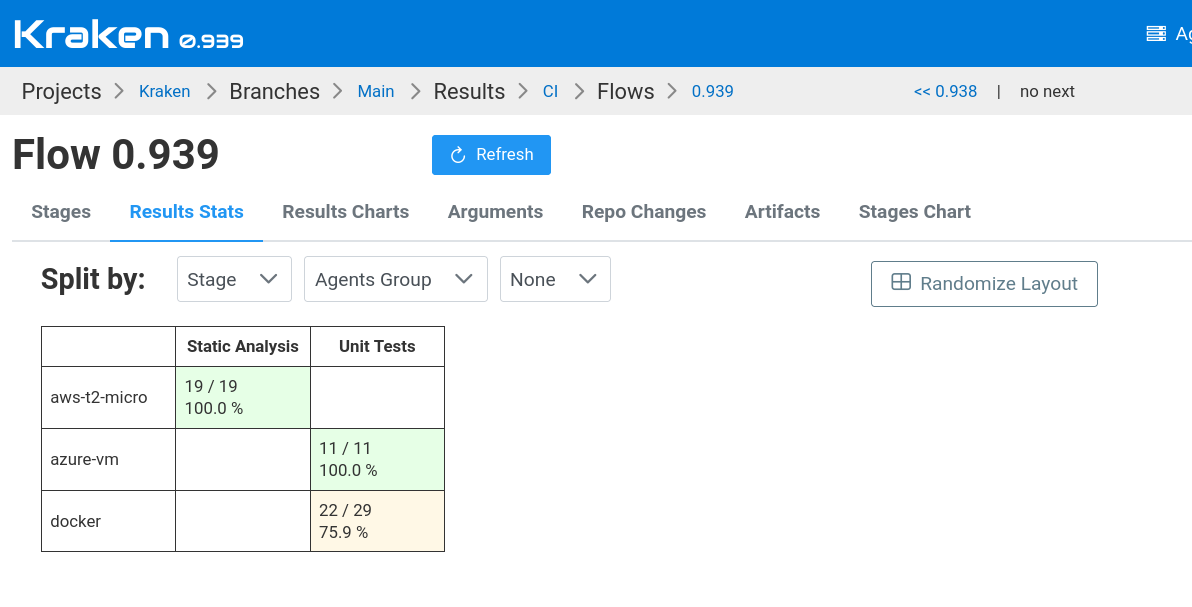
- added a multi-dimentional table with pass ratio stats of a flow
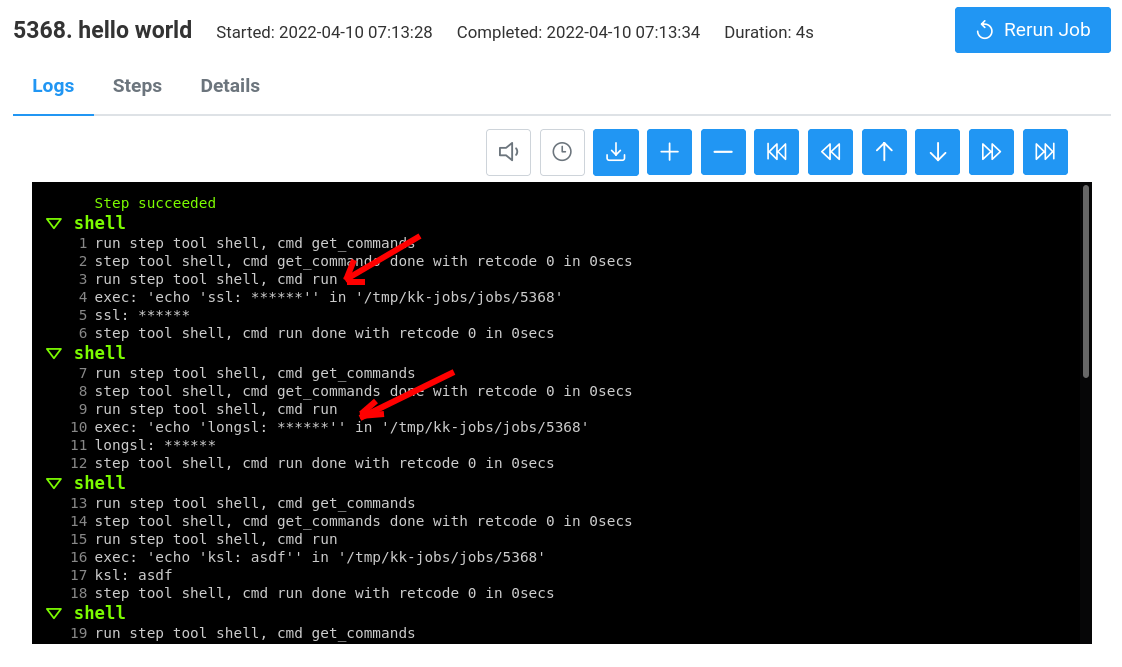
- added masking secrets in logs
- many improvements to the job's log panel like coloring and timestamps on/off
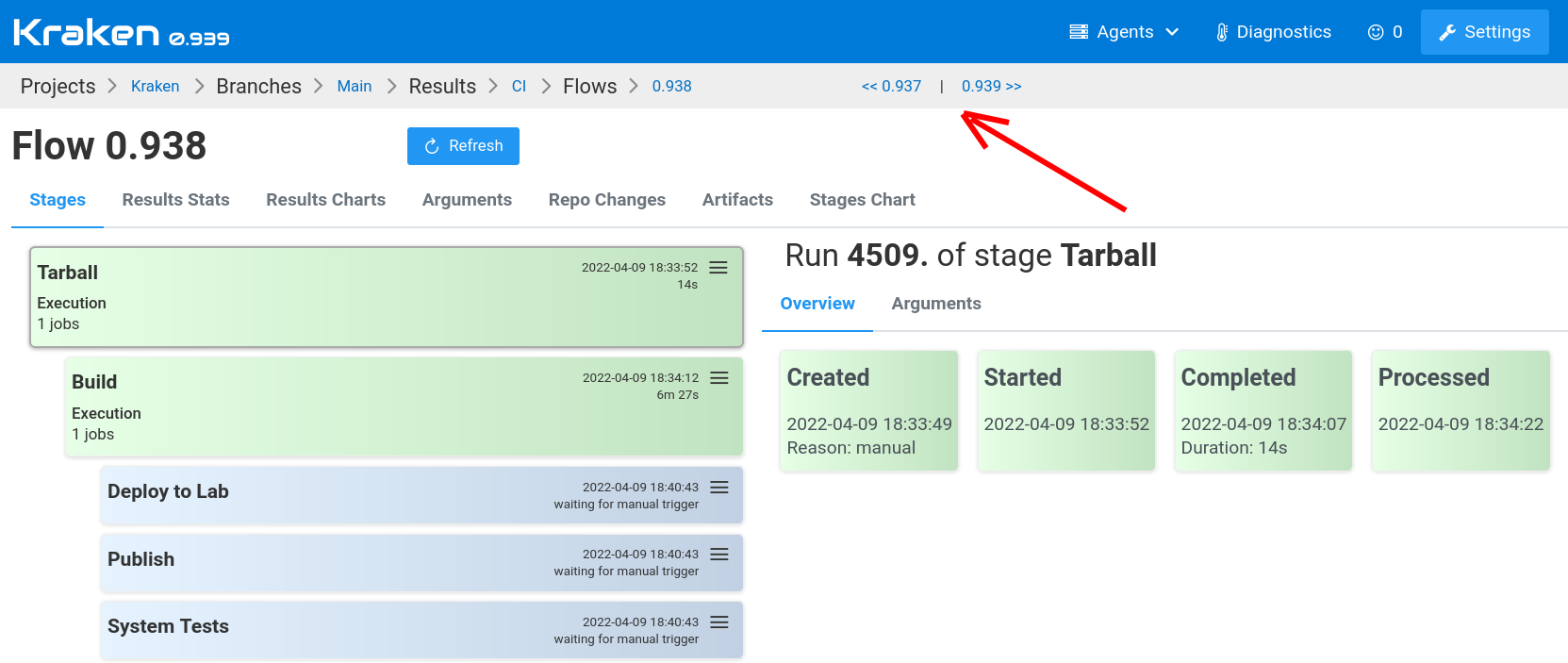
- added navigation to prev and next flow in breadcrumb on the flow page
More information about these changes is below.
Chart with Pass Ratio History
The flow page has now two new tabs. One of them is a Results Charts
tab. On this tab, a results history chart can be found. It presents
a pass ratio line in % units and two more lines: passed and total that
shows the number of passed tests and the total number of tests over time.
Pass Ratio Stats of Flow
On the other tab, Results Stats, a table shows tests passing
stats. The dimensions of the table are dynamic. They can be selected
from dropdowns available over the table. There can be chosen:
Stage, Agents Group and System.
Secrets Masking
Another feature is related to security. Quite often, a password or some access key needs to be passed during build or test execution. Sometimes this secret is revealed in logs. Now Kraken knows secrets defined in a project and it masks them in the logs. The secrets are caught quite early and they do not leave a machine that traced them to logs. The log database stores only masked passwords.
There is one interesting property of this masking that cannot be found in other CI systems: it can mask multiline secrets like SSH private key.
Log Panel Improvements
There were added several improvements to the log panel:
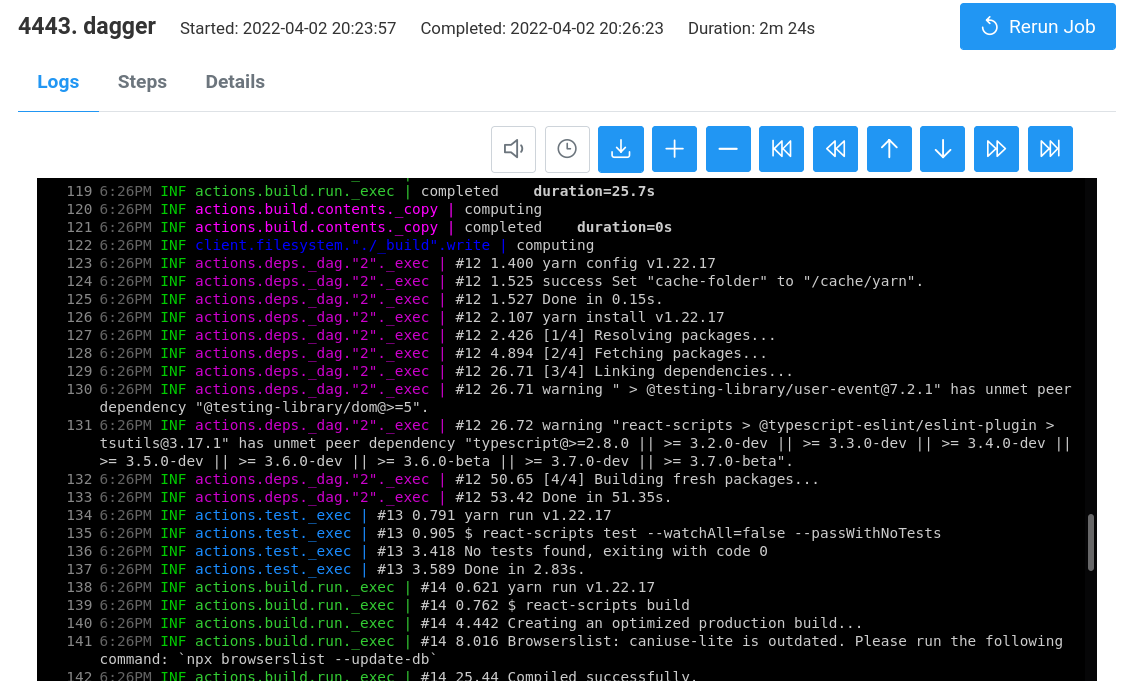
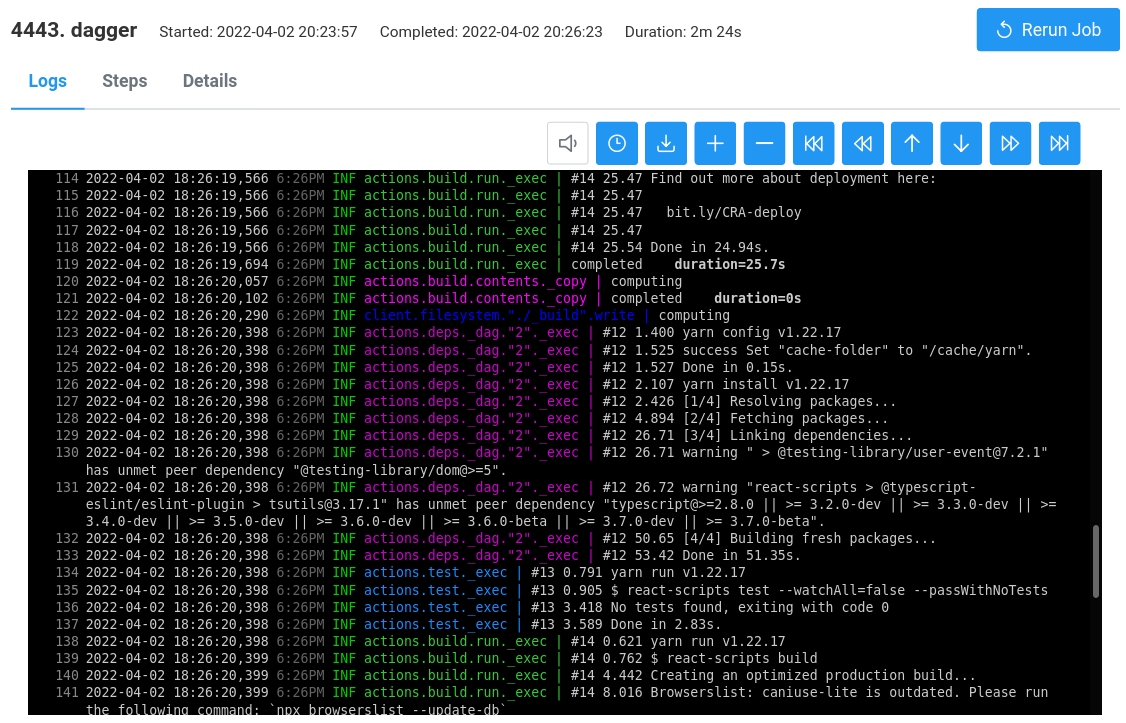
- coloring ANSI color codes in HTML log box
- turning timestamps on/off
- showing missing timestamps
- log loading indicator
The screens below show colored logs and timestamps that are either switched off or switched on.
Flow Navigation Improved
The last feature presented here is flows navigation. In the breadcrumb bar there are shown two arrows that allow for navigating to the previous flow and to the next flow.